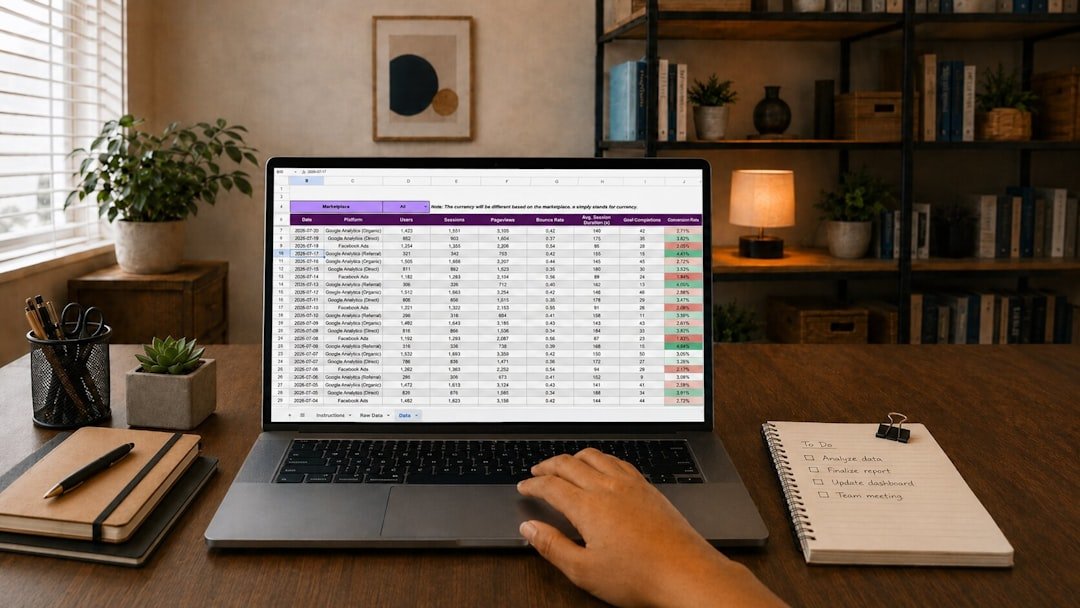
A client payment lands in your account, a marketplace sends a payout two days later, and you buy supplies that same week. The money is real, but the picture gets fuzzy fast. The simplest answer to how to track income from a side hustle is to use one spreadsheet, record each transaction as it happens, and review the totals every week. Keep it boring. A basic system is far more useful than an elaborate tracker you stop opening after ten days.
You do not need accounting software to begin. A spreadsheet in Google Sheets, Excel, Numbers, or another familiar program can handle a small digital business, freelance work, resale activity, or a local service business. Start small. The goal is to know what came in, what you paid to earn it, and what remains after those costs.
How to track income from a side hustle with one spreadsheet
Create one workbook with separate tabs for income, expenses, and a monthly summary. This keeps the raw transaction details available while giving you a quick view of the month. Use clear names. Avoid putting personal spending and business activity on the same sheet, even if both use the same bank account.
On the income tab, place these column headings across the first row:
- Date received
- Customer, platform, or client
- What you sold or did
- Invoice, order, or payout reference
- Gross sale amount
- Platform or payment processing fee
- Refund or adjustment
- Net amount received
- Payment method
- Notes
Each row should represent one sale, one client payment, or one platform payout. Pick one approach and stay consistent. If an online platform combines several orders into one deposit, recording the payout as one row is usually easier when you are starting. Keep the platform report. You may need it later to check the individual orders, fees, or refunds included in that deposit.
Gross income is the amount a customer paid before platform fees, payment processing fees, or refunds. Net received is the money that reached your bank or payment account after those deductions. Both matter. Gross sales can help you assess demand, while net received shows the cash that actually arrived.
Set up the simple spreadsheet method
Begin with the income sheet before building anything fancy. Enter your first transaction and test whether every column answers a practical question. Can you tell when the payment arrived? Can you see what it was for? Can you trace it to a payout or invoice? If not, add a note or reference column now.
- Open a blank workbook and name it for the calendar year.
- Create tabs named Income, Expenses, and Monthly summary.
- Add the income headings and freeze the top row if your spreadsheet program allows it.
- Enter every payment you have received so far this month.
- Enter fees and refunds on the same row as the related payment when you know them.
- Set a repeating weekly reminder to update the sheet and compare it with your accounts.
Use dates consistently. The date received is generally the date cash entered the account you use for the business, not necessarily the date you completed the work or made the sale. A designer might finish a project on Friday and receive payment next Tuesday. Record Tuesday in an income tracker built around cash received. Tax rules can differ by location and business setup, so confirm local requirements if you need records for filing.
Record expenses beside the income story
Income alone can make a side hustle look healthier than it is. A $400 month in sales means something very different if $250 went to materials, software, shipping, advertising, contractor help, or marketplace fees. Expenses count. Record them on the Expenses tab as soon as practical.
Use columns for date paid, vendor, description, category, amount, payment method, and receipt location. The receipt location can be a folder name, an email label, or a file name. Make it searchable. You do not need to paste receipt images into the spreadsheet, and doing so can make the file slow and difficult to manage.
Choose expense categories that match how you actually spend money. A digital product seller might use software, design assets, advertising, and transaction fees. A pet-sitting business might use supplies, mileage records, and booking platform fees. Keep categories stable. Changing the names every month makes your annual totals much harder to understand.
Do not force a purchase into the business sheet just because it might feel useful. A household grocery order is not automatically a business expense because you worked on your laptop afterward. Keep personal purchases separate. If an item has mixed use, keep a clear record and seek qualified tax advice when you need help determining treatment.
Use formulas that answer real questions
You only need a few formulas at first. On the income sheet, calculate net received with gross sale amount minus fees minus refunds. If gross sales are in column E, fees in F, refunds in G, and net received in H, the row formula can be =E2-F2-G2. Copy it down. Check a few rows manually before relying on it.
Your Monthly summary tab can show three figures: total gross income, total expenses, and a simple operating result. Keep the labels plain. The operating result is gross income minus business expenses for your own planning. It is not automatically taxable profit or a final tax calculation, because rules, deductions, timing, and business structure can affect that result.
Here is a simple worked example. Say you sell a service for $150, the payment processor takes $5, and you later refund $20 for a partial issue. Your spreadsheet shows $150 gross income, $5 in fees, $20 in refunds, and $125 net received. If you spent $15 on a business-specific tool that supported the sale, your basic cash result for that work is $110. That is an illustration, not a typical outcome.
Make a weekly tracking habit
The spreadsheet works only when it matches reality. A weekly review prevents the familiar end-of-year scramble through bank statements, email receipts, and payment app histories. Ten minutes is often enough for a small number of transactions. Put it on your calendar. Choose the same day each week so the task becomes routine.
During the review, open your bank account, payment processor, marketplace dashboard, and any invoice app you use. Add missing income. Add missing expenses. Then compare each deposit or withdrawal with an entry in your spreadsheet, marking the item in a notes column once you have checked it.
Look closely at payouts. A platform may hold funds, deduct fees before sending payment, combine sales into a single deposit, or send a payout after a sale occurs. These timing differences are normal. Your notes should identify the payout date and reference number so you can match it without guessing later.
Once a month, total the transactions and scan for surprises. Refunds may be higher than expected. A subscription you forgot about may be quietly cutting into results. One client type may produce most of your revenue. The numbers help you decide what deserves more effort and what needs a price change, a process change, or a pause.
Keep proof without making it complicated
A spreadsheet is a record, but it is stronger when you retain supporting documents. Save invoices, platform payout reports, receipts, refund notices, and payment confirmations in one dedicated digital folder. Use a consistent file name such as date, vendor or platform, and amount. Stay consistent. Searching becomes much easier when every file follows the same pattern.
For mileage, cash payments, or other transactions that may not appear clearly in a bank feed, write down the details promptly. Memory fades. Include the date, purpose, amount, and any relevant reference. Rules around documentation and deductions vary by jurisdiction, so review official guidance or speak with a qualified professional if your records will support a tax filing.
Common mistakes that make tracking harder
The first mistake is waiting until tax season. By then, platform reports may be harder to locate, small cash purchases may be forgotten, and payouts can be difficult to match. Start this week. Even a partial record is easier to repair while the details are fresh.
Another mistake is treating transfers as income. Moving $200 from a payment app to your checking account does not create a new sale if the original payment was already recorded. Record the sale once. Use the transfer information only to reconcile where the money moved.
A third mistake is counting every deposit as profit. Deposits may include customer payments, loan proceeds, transfers, reimbursements, or money set aside from a previous payout. Label the source. Accurate labels make monthly decisions less emotional and more grounded in the actual business activity.
FAQ
Can I track a side hustle in a notes app?
You can, especially during your first few transactions. It is a temporary solution. A spreadsheet is easier to total, filter by month, match to bank deposits, and separate income from expenses. Move the notes into a spreadsheet before the list gets long.
Should I track gross income or the payout that reaches my bank?
Track both when possible. Gross income shows the customer-facing sale, while the payout shows cash received after deductions. This makes fees and refunds visible. If a platform only gives you payout information at first, record the payout and save its report until you can add more detail.
How often should I update my spreadsheet?
Weekly is a practical default for many side hustles. High-volume sellers may need to update it daily or import reports more often. Low-volume freelancers might update after each payment and still do a weekly review. Do not wait months.
Do I need a separate bank account for side hustle income?
A separate account can make tracking cleaner because business deposits and purchases are easier to identify. It may also help you avoid spending money that should cover expenses or taxes. Account requirements and fees vary by region, so verify the terms directly with the financial institution before opening one.
What should I do when my spreadsheet does not match my bank account?
Check the date first. Deposits can be pending, fees may be deducted separately, and one payout may contain multiple sales. Then search for refunds, transfers, duplicate rows, or a missed transaction. Fix the entry with a note rather than deleting the original without explanation. A clear trail helps you understand the correction later.
A simple spreadsheet method gives you a usable record without turning your side hustle into a bookkeeping project. Record transactions promptly, keep the supporting documents, and reconcile the totals each week. That is enough to see the money clearly. You can always move to dedicated accounting software later if transaction volume makes the spreadsheet difficult to maintain.
Related posts
This article is for general informational and educational purposes only and is not financial, tax, or legal advice. Any income examples are illustrative, not typical or guaranteed — results vary widely by effort, time, niche, and platform changes, and we do not guarantee you will earn any income. Always do your own research and consult a qualified professional before making financial decisions.
Disclosure: This post may contain affiliate links. If you click through and make a purchase, we may earn a commission at no extra cost to you. We only recommend tools we’ve researched or genuinely believe in.